Under-desk trays and tracks
01 / Symptom
The floor is the wrong place for slack
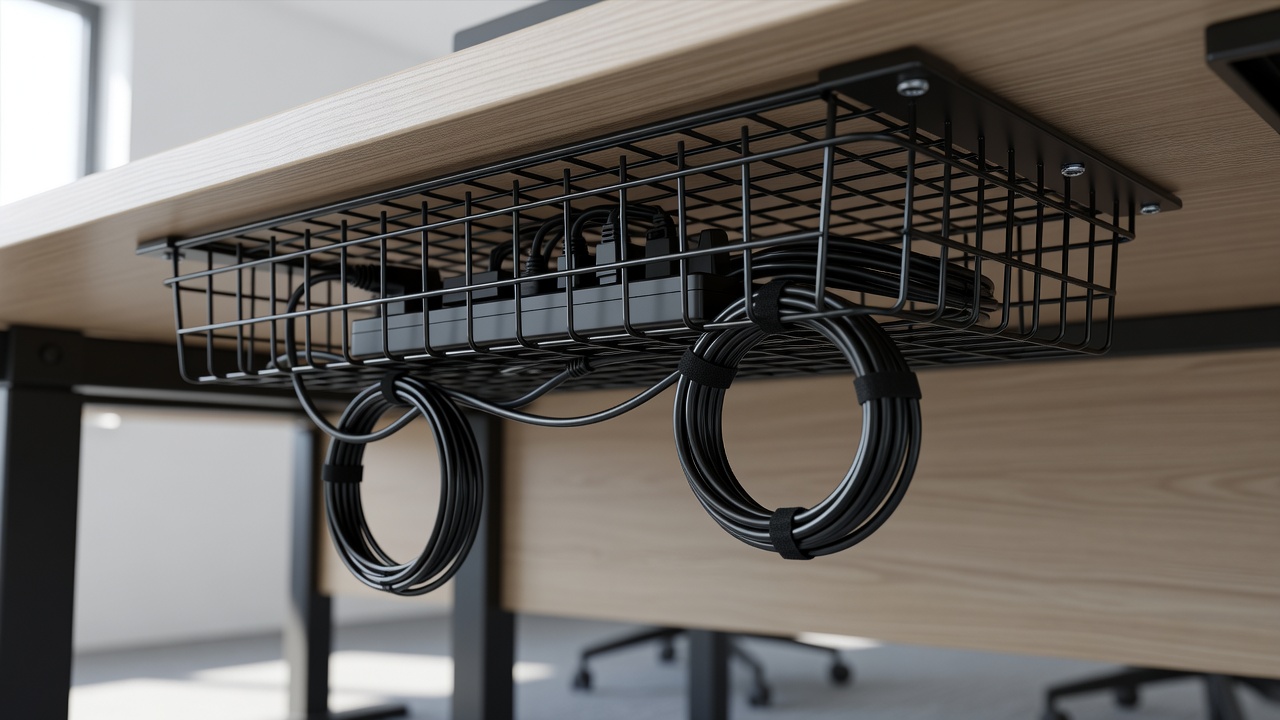
Under a desk is where cable messes go to breed. A power strip on the carpet, a laptop brick, a printer lead, a pile of spare length. Floor level adds dust, kicked cords and the daily indignity of vacuuming around it. The fix is to move everything up: mount a tray, basket or track beneath the desktop and give the slack somewhere to live.
Three product shapes dominate. Wire baskets are open mesh, light, and easy to see through; they hold a strip and loops of cord. Solid trays, in steel or plastic and often with a lip, hide the contents better from the side. Tracks and spines are narrow vertical channels that carry cords from the desktop down to the floor, which is handy on standing desks. Pick by contents: if a strip and a brick need a home, choose a tray; if only a few cords drop, a spine will do.
02 / Survey
Check the desk first
Before buying, look underneath. Is the desktop solid wood, plywood, MDF, particleboard or glass? Solid wood and plywood take screws well. MDF and chipboard hold screws shallowly, so choose short screws and avoid overloading them. Glass tops cannot be drilled; use a clamp-on or frame-mounted option instead.
Measure the clear space between the rails or legs. Most trays need a flat area about the size of a power strip plus a few centimetres. Check clearance for knees and, on a standing desk, for the motor and crossbar. Allow for the weight too: a strip, a laptop charger and a few adapters add up to a couple of kilograms. Most trays are rated for far more, but the screws are the weak link, not the tray, and thin screws in thin particleboard fail first.
03 / Install
Mount it in ten minutes
Clear the space, slide under the desk with a torch, and unplug the strip.
Hold the tray in place and mark the screw holes with a pencil. Keep clear of drawer rails and any crossbars.
Drill pilot holes slightly narrower than the screws. Put a strip of tape on the bit as a depth stop so you never break through the desktop surface.
Fix the tray with every screw supplied. Skipping screws is how trays end up hanging by one corner.
Place the strip in the tray with the sockets facing out so plugs can be pulled, and secure it with a hook-and-loop strap.
Feed the cords in, fold the slack inside, clip the wall lead down a desk leg, and power up.
04 / Traps
Standing desks, drawers and other traps
Standing desks need slack. Raise the desk to full height with everything connected and look at every cord. If one is taut, add length by moving the cord exit or swapping in a longer cable. A sleeve with a loose loop allows the movement, and a drop cord clipped at two or three points handles the vertical run.
Keep the tray out of the path of drawers and keyboard trays, and check the swing of your chair; the wheel base should not strike a vertical cable run. A spine beside the leg usually sits out of the way.
If you cannot drill, adhesive-mounted or clamp-on options exist. They carry less weight, so put only the strip in them. Ventilation matters as well: an open tray suits a strip and a brick, but a covered one gets warm, so check by hand after an hour. Finally, tidy at the socket, where a short cord clip stops the wall lead sliding behind furniture.
05 / Next